How to Compress PDF File Size – Easy Method for Mobile and Computer
Have you ever tried to upload a PDF for a job application, college admission form, or government portal, only to see a message like "file size too large, please upload a file under 200KB"? It's frustrating, especially when you're in a hurry and don't know any technical tricks. The good news is that learning how to compress PDF files is actually very simple, and you don't need any expensive software to do it. This guide walks you through an easy, practical method to reduce your PDF size on both mobile and computer, so you can stop struggling with upload errors for good.
Why Do PDF Files Become So Large?
Before we get into how to compress a PDF, it helps to understand why PDFs get bulky in the first place. A few common reasons: high-resolution images or scanned pages inside the document, multiple embedded fonts, unnecessary metadata, or a document scanned straight from a phone camera app. Once you know the cause, the solution becomes obvious — you need to compress the images and clean up the extra data without ruining the quality of your document. That's exactly what a good PDF compressor does.
When Do You Actually Need to Reduce PDF File Size?
Here are some everyday situations where how to reduce PDF files becomes an urgent question.
| Situation | Why Compression Is Needed |
|---|---|
| Government job application forms | Most portals accept only 100KB–500KB files |
| Email attachments | Many email providers block large attachments |
| College or exam admit card uploads | Strict file size limits, often under 1MB |
| WhatsApp or messaging apps | Large files take longer to send and receive |
| Website or blog uploads | Faster loading, better user experience |
| Cloud storage limits | Save space and stay within free storage plans |
How to Compress PDF Files on Mobile
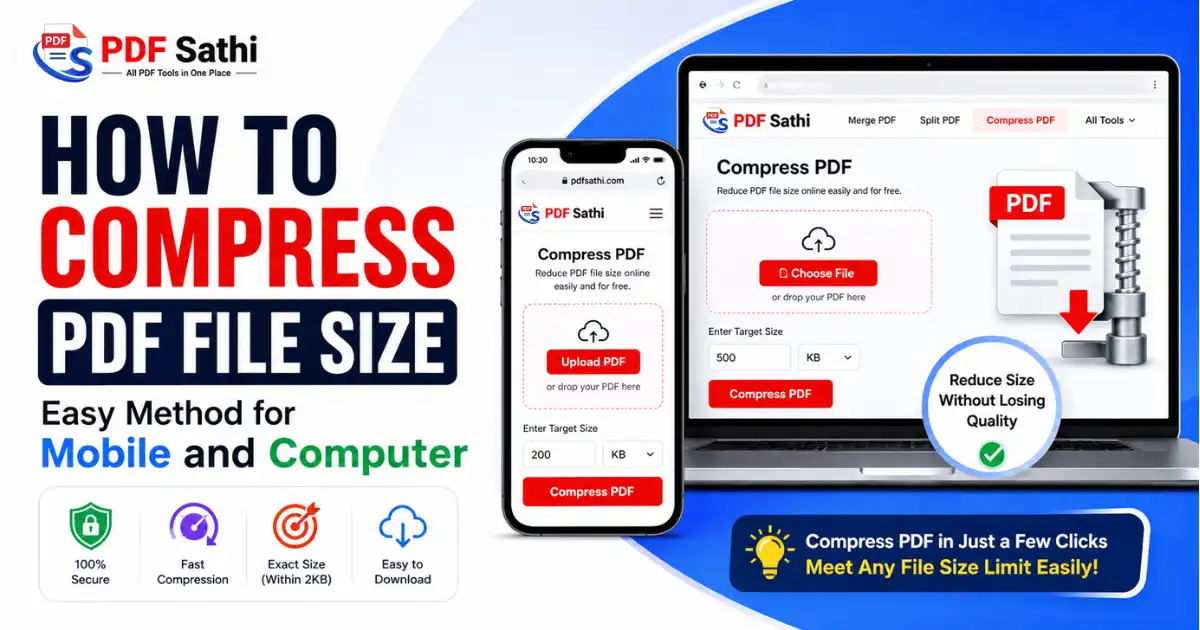
Most people today fill forms and upload documents directly from their phone. So let's start with how to compress PDF on mobile, using a browser-based tool like PDF Sathi's Compress PDF — no app download needed.
- Open your phone's browser and visit the PDF Sathi Compress PDF page.
- Tap "Choose File" and select the PDF from your phone storage or Google Drive.
- Enter your target size — for example, if a form asks for a file under 200KB, just type 200 and pick KB.
- Tap "Compress PDF" and wait a few seconds while it processes.
- Download the compressed PDF directly to your phone, ready to upload wherever it's needed.
Why This Method Works Better Than Guessing
Many tools only give you vague options like Low, Medium, or High compression, and you have to guess which one will actually fit the form's limit. PDF Sathi works differently — you simply enter the exact size you need in KB or MB, and the tool compresses your file to land within 2KB of that target.
That means no repeated trial and error, no re-uploading five times to check if it's finally small enough. You tell it the number, and you get a file right around that number.
How to Compress PDF Files on Computer
Now let's talk about how to compress PDF on computer, which is useful when you're preparing resumes, reports, or multiple documents at once.
- Go to PDF Sathi's Compress PDF tool on your laptop or desktop browser.
- Click "Choose File" and select your PDF, or drag and drop it onto the upload area.
- Enter the exact size you need, in KB or MB, based on whatever limit the form or portal has asked for.
- Click "Compress PDF" and let it process.
- Click "Download" to save the smaller file to your system.
Why Use a Browser Tool Instead of Desktop Software?
Many people still think they need to download heavy software like Adobe Acrobat to compress a PDF. That's not true anymore. Browser-based tools have a few clear advantages: no installation or waiting for downloads, works on any operating system (Windows, Mac, Linux, Android, iOS), free to use with no hidden charges, and instant results without confusing settings.
Compress PDF for Online Form Submissions
This is probably the most common reason people search for PDF compression help. Government job portals, exam boards, and online application forms almost always have strict file size rules. Here's a quick checklist for compress PDF for online form situations.
- Check the exact size limit mentioned on the form, usually written near the upload button.
- Enter that exact size into PDF Sathi's Compress PDF tool so your output lands safely within the limit.
- Make sure text and signatures are still clearly readable after compression.
- Save the compressed file with a simple, clear name so you can find it quickly during upload.
- Always keep the original file safe in case you need higher quality later.
Tips to Get the Best Results While Compressing PDF
- Scan documents in black and white instead of color when color isn't necessary.
- Avoid scanning at very high resolution if the file is only needed for an online form.
- Remove extra blank pages before compressing.
- Set a slightly smaller target size than the form's limit, to leave a little buffer.
- Always preview the compressed file before submitting it anywhere important.
Is It Safe to Compress PDF Online?
This is a fair question, especially when dealing with personal documents like an Aadhaar card, mark sheets, or certificates. PDF Sathi processes your file directly for compression and doesn't require any sign-up, and files aren't kept around any longer than needed. Still, it's a good habit to avoid uploading highly sensitive documents to any unfamiliar or unknown website.
Ready to try it yourself?
Try the Compress PDF Tool