How to Increase PDF Size to a Specific Size – Easy Method
Have you ever needed to submit a PDF file for a job application, government form, or online portal, only to find out that the file must be a certain size? Many websites ask for a PDF within a specific size range, like 450KB, 500KB, 1MB, or 2MB. If your file is smaller than required, the upload gets rejected, and you are left wondering what to do next. This is a common problem, especially with government exam forms, university admissions, and job portals in India. Most of these portals do not accept files that are too small or too large. In this article, we will explain why this happens and show you the easiest way to increase PDF size to a specific size using a free online tool.
Why Do Some Websites Require a Specific PDF Size?
You might wonder why a website would care if your PDF is small. Isn't a smaller file better?
In most cases, yes. But many old government portals and application forms were built years ago with fixed upload systems. These systems check the file size before accepting it, and if the file does not match the required range, the system shows an error like "Please upload a file between 450KB and 500KB."
This happens for a few reasons: the portal's backend was coded to expect a fixed file size range; the form wants to make sure your scanned document has enough detail and is not overly compressed; or some systems store your file directly in a database and use size limits to control storage. Whatever the reason, if the portal asks for a PDF between 450KB and 500KB, and your file is only 120KB, the upload simply will not go through. You need to increase the PDF size in KB or MB to match what is asked.
Common PDF Size Requirements You Might Face
Different forms ask for different file sizes. Some of the most common PDF size requirements include:
- Increase PDF to 450KB – common in many Bihar and UP government exam forms
- Increase PDF to 500KB – used for various online application portals
- Increase PDF to 1MB – required for some university and scholarship forms
- Increase PDF to 2MB – used where multiple pages or scanned images are combined into one file
The Problem With Manual Methods
Some people try to solve this problem manually. A few common (but frustrating) methods include:
- Re-scanning at a higher resolution – This means going back to a scanner or photocopy shop, which takes time and may cost money.
- Adding blank pages – This changes the page count of your document, which is often not allowed.
- Using desktop software – Programs like Adobe Acrobat can adjust file size, but they are heavy, sometimes paid, and confusing for a simple task like this.
- Guessing with online compressors – Most online tools only reduce PDF size. Very few tools let you increase PDF size to an exact target.
Easy Method: Increase PDF Size Using PDF Sathi
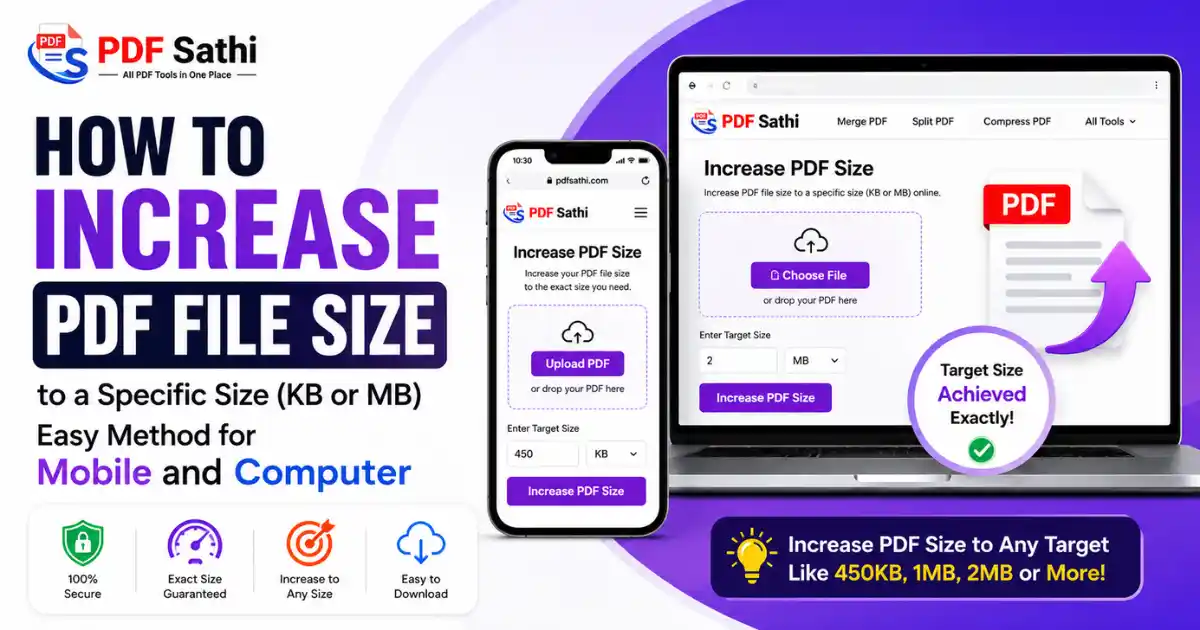
PDF Sathi offers a simple, browser-based tool that lets you increase your PDF to a specific size in just a few clicks. There is no need to install any software, and you do not need any technical knowledge to use it. Here is how it works:
- Step 1: Upload Your PDF File – Go to the Increase PDF Size tool on PDF Sathi and upload the PDF file you want to resize. For example, let's say your file is currently 200KB.
- Step 2: Enter Your Target Size – In the Target Size box, type the exact size you need. If your form requires a file between 450KB and 500KB, simply enter 450KB as your target.
- Step 3: Click "Increase Size" – Once you click the "Increase Size" button, the tool processes your file in the browser itself. Within a few seconds, your PDF is adjusted to match the size you entered, for example, exactly 450KB.
Why Use PDF Sathi's Increase PDF Size Tool?
There are many reasons why this tool is a better option than manual methods or generic compressors:
- Works directly in your browser – There is nothing to download or install. Everything happens on the PDFSathi.com website.
- Free to use – You do not need to pay anything to increase your PDF size.
- Exact size matching – Instead of vague "high quality" or "low quality" settings, you enter the exact number you need, in KB or MB.
- No loss of important content – Your document stays intact; only the underlying file size is adjusted to meet the requirement.
- Fast processing – The tool works quickly, so you can upload your form on time without stress.
- Safe and private – Since the processing happens in your browser, your files are not stored on a server, which keeps your personal documents private.
Tips Before You Upload Your PDF
Before you use the tool, keep a few things in mind to avoid rejection at the final stage:
- Read the exact size requirement carefully. Some forms ask for a range, like "between 450KB and 500KB," while others ask for a maximum size, like "up to 1MB." Choose your target size based on what is written.
- Check the file format. Make sure the portal accepts PDF and not JPG or PNG, since some forms have different rules for photos, signatures, and documents.
- Keep the content readable. After increasing or adjusting the size, open the file once and check that the text and images are still clear.
- Rename your file properly. Some portals also ask for a specific file name format, so update your file name after resizing it.
Who Needs This Tool the Most?
This tool is especially helpful for:
- Students filling out government exam forms, where certificates and marksheets often need to match a specific PDF file size requirement
- Job applicants uploading resumes, ID proofs, or certificates on recruitment portals
- People applying for scholarships, where documents must follow a strict PDF size requirement
- Anyone who has ever needed to make PDF larger for upload on a strict portal that rejects small files
Final Thoughts
Increasing a PDF to a specific size used to be a confusing task, mostly because most tools online only focus on compression, not expansion. With PDF Sathi's Increase PDF Size tool, you can now increase your PDF size in KB or MB to match any requirement, whether it is 450KB, 500KB, 1MB, or 2MB, in just three simple steps: upload, set your target size, and click increase.
The next time a form asks for a PDF within an exact size range, you will not need to worry about re-scanning documents or trying confusing software. Just head over to PDF Sathi, upload your file, enter your target size, and get your document ready to upload in seconds.
Ready to try it yourself?
Try the Increase PDF Size Tool